Run every grant program. From application to close-out.

Granted gives grantmakers one workspace for the whole cycle: publish a round, take applications online, let your board review and vote, then follow each award through payments, reports and close-out.

Explore Granted
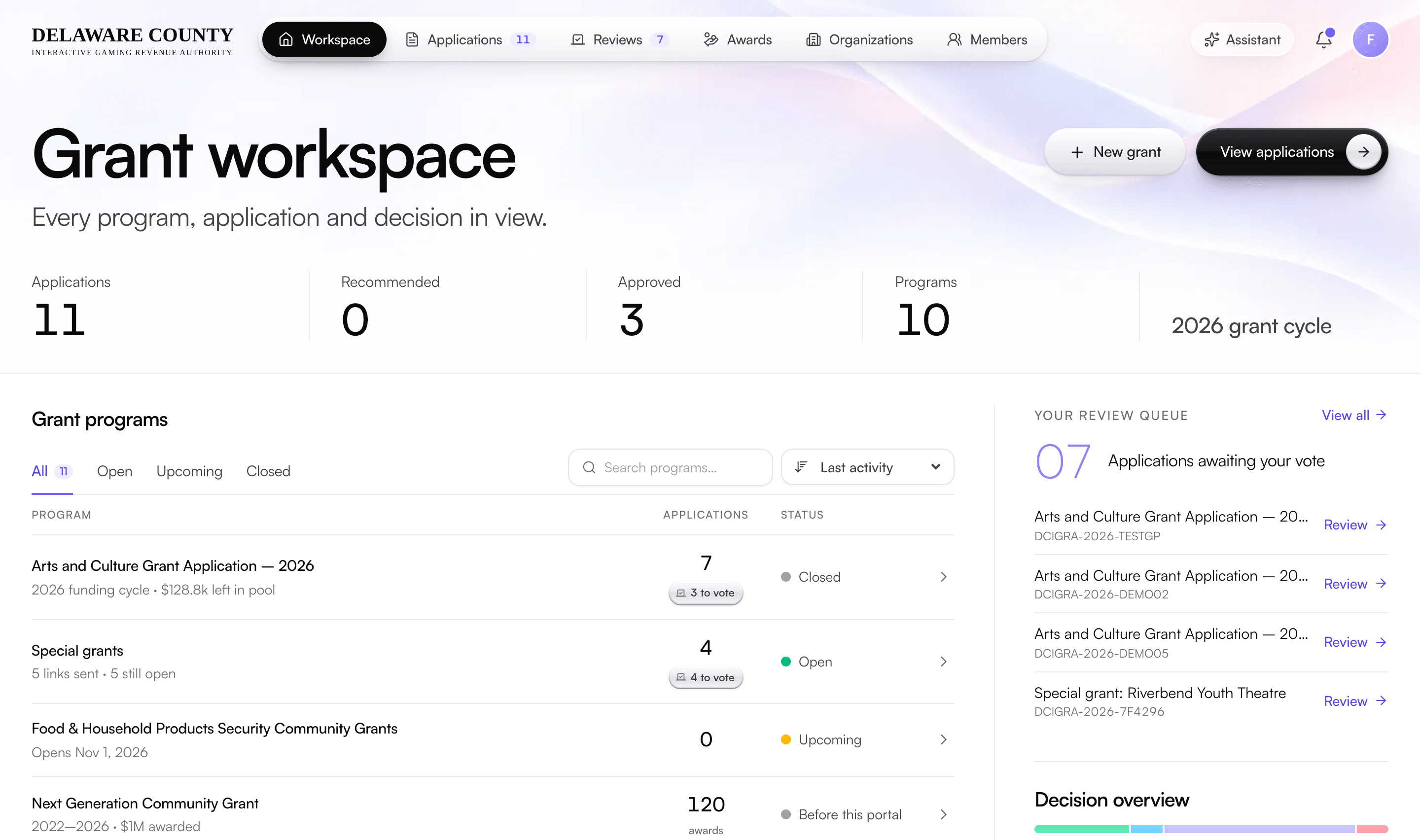
Granted grant workspace: applications, recommended and approved counts, grant programs with their status, and the review queue of applications awaiting a vote
Board packets

Board packets. Ready for the next meeting.

Turn each application into a single PDF packet, so board members can prepare from the same record and staff can spend less time assembling meeting materials.

Illustrative packet structure

01 / Board-ready delivery

One file. A clearer review.

Application details, review information and supporting materials stay connected to the grant record.

We handle configuration, historical migration and training for staff and board members.

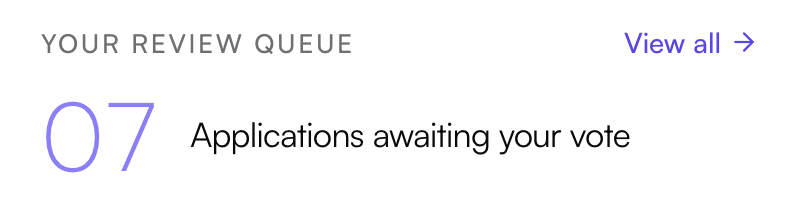
Granted review queue: seven applications awaiting your vote
02 / Independent reviews

A personal queue for each board member.

Members see other reviews after submitting their own. Majority recommendations inform an admin-confirmed final decision.

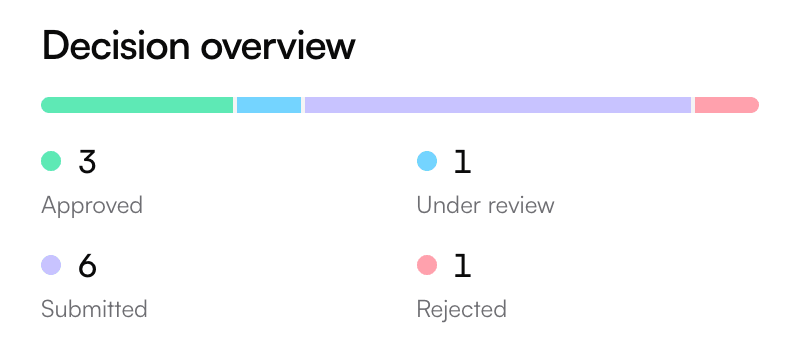
Granted decision overview: three approved, one under review, six submitted and one rejected
03 / Decision records

Every decision, on the record.

Database audit trails, role-based access and CSV exports support board reporting and Right-to-Know requests.

Planned extensions: conflict-of-interest disclosures with enforced recusal, and board meeting tools.

Overview

What Granted does.

Granted runs a grantmaker’s whole grant cycle in one place: publish a funding round, take applications, review and vote as a board, record decisions and follow each award through payments, grantee reports and close-out.

It’s built for organizations that give grants: public authorities and agencies, community foundations and boards that award money through an application process. Applicants don’t have to learn new software; they apply from a public page and follow everything from their own portal.

Every step leaves a record. Status changes, votes, signatures, payments and reports are logged automatically, so when an auditor, a council member or an applicant asks how a decision was made, the answer is already written down.

Our team sets Granted up around your programs, your application form, your board’s rules and your branding, imports your past awards, and supports you after launch.

At a glance

Built for
Public authorities, agencies, foundations and boards that award grants
Used by
Program staff, board and committee members, and applicants
Covers
Rounds, applications, review and voting, decisions, awards, reports and close-out
Applicants
Apply from a public page, with no account needed to start
Branding
Your name and logo on the portal and every email
Access
In the browser on desktop, tablet and phone
Setup
Configured, imported and supported by our team
How it works

Start to finish, step by step.

1

Open a round

Set the round’s overview, maximum award, funding pool and open and close dates. It appears on your public grants page with a countdown.

2

Invite applicants

Invite organizations from your directory, including past grantees, or send one organization a private application link with its own deadline.

3

Take applications

Applicants apply without creating an account first, save and finish later, upload documents and sign electronically.

4

Review and vote

Board members score each application, vote fund or deny with an amount and write an assessment. Other votes stay hidden until you cast yours.

5

Decide

When a majority of the board agrees, the application is marked recommended. Staff confirm the decision and the applicant is told.

6

Award and pay

Record your governing body’s approval, then each payment by check or ACH. Granted never lets payments exceed the award.

7

Collect reports

Grantees file signed interim and final reports with receipts and photos. Staff accept them, ask for changes or waive them.

8

Close out

Settle any unspent funds, then close the award. Every step, from first application to close-out, stays on the record.

Features

A closer look at Granted.

8 areas of the product, what each one does and the details behind it.

Funding rounds

Every program, application and decision in view.

The workspace opens on every grant program you run, with how many applications each has, how many are waiting on a vote and what’s left in the pool.

  • Rounds in a few fieldsName, overview, maximum award per applicant, total funding pool, and open and close dates. Every request is checked against the cap.
  • A public grants pageOpen rounds, upcoming rounds with a live countdown and an “email me when it opens” sign-up, and past programs with photos.
  • Program previewBefore a round opens, staff see the questions applicants will answer, figures from past awards and organizations worth inviting.
  • Your history, brought inWe import your past awards from spreadsheets, so earlier programs show in the workspace and in each organization’s funding history, marked “Before this portal.”
Applications

An application people can actually finish.

Applicants apply from your public page, sign electronically and get a portal where they can follow their application from submission to decision.

  • No account to startAnyone can begin an application. An account is created when they submit, with an email to set a password.
  • Save and finish laterApplicants get an emailed link back to their draft. Returning applicants start with their organization’s details already filled in.
  • Your form, your questionsOur team builds the application around your program’s questions, often from the paper form you use today, and updates it when your programs change.
  • Uploads and e-signatureBudgets and program documents upload as PDF, PNG or JPG, up to 10 MB each. Every submission is signed, and every later edit is signed again.
  • An applicant portalStatus, request, documents and a timeline of every status change. Applicants can edit and manage documents until the deadline.
  • Confirmation they can keepEach applicant gets a reference number and an email with a full copy of what they submitted.
Review and voting

Review that’s fair by design.

Board and committee members work from one review desk: the queue on one side, the full application and their assessment on the other.

  • Score, vote and explainA 1 to 5 score, fund or deny with an amount, and a written assessment. Members can change their vote later.
  • Votes hidden until you voteOther members’ reviews and tallies stay hidden until you’ve cast your own, so no one anchors on the first opinion. The database enforces it, not just the screen.
  • Consensus and notesA consensus view once you’ve voted, plus internal notes the team can see and applicants never do.
  • Board packets in one clickA PDF with a cover page, the typeset application and every attachment merged in, ready for a meeting.
  • Reminders that go out on their ownA weekly email to anyone with applications still waiting on their vote.
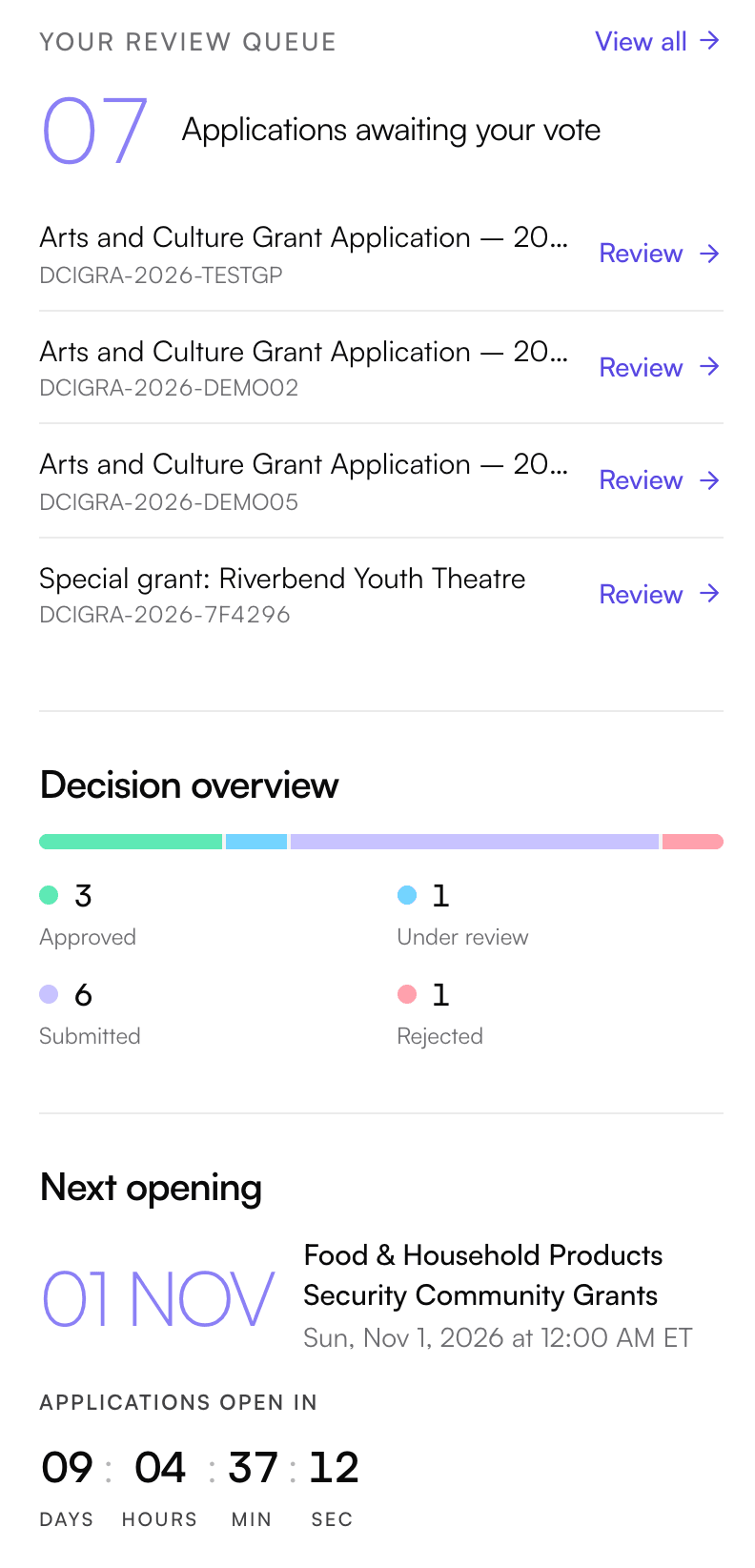
Granted review queue and decision overview: applications awaiting your vote, counts of approved, under review, submitted and rejected applications, and the next round’s opening countdown
Decisions

Decisions with a paper trail.

Granted never approves anything on its own. A majority of the board produces a recommendation; a person confirms the decision, and everyone who needs to know is told.

  • Recommended, then confirmedWhen a majority of the voting board agrees, the application is marked “Recommended: fund” or “Recommended: deny,” and staff get a “ready for final action” email with the tally.
  • The amount, already worked outThe confirmation is prefilled with the average amount the board voted to fund, capped at the round’s maximum. Staff can adjust it.
  • Applicants told automaticallyApplicants see “Under review” while the board deliberates, then get an email when the decision is recorded, with the amount if they’re funded.
  • Changes are announcedIf an approved amount is edited later, the applicant is emailed, and the change is logged.
Awards and payments · New

Follow every award to the last dollar.

Each approved grant becomes an award with its own stage, from waiting on approval to closed, and a ledger of every payment made against it.

  • Seven award stagesAmount needed, waiting on approval, ready to pay, reporting, surplus owed, ready to close and closed, so you always know what each award is waiting on.
  • Governing-body approvalRecord the approval date and resolution number for several awards at once.
  • A payment ledger that adds upPay by check, ACH or another method in one or more payments. Granted refuses payments before approval or above the award, and a mistake is voided with a reason, never deleted.
  • Unspent funds and close-outUnspent funds from the final report are tracked until they’re returned or waived. An award only closes once its reports are settled, and reopening one needs a reason.
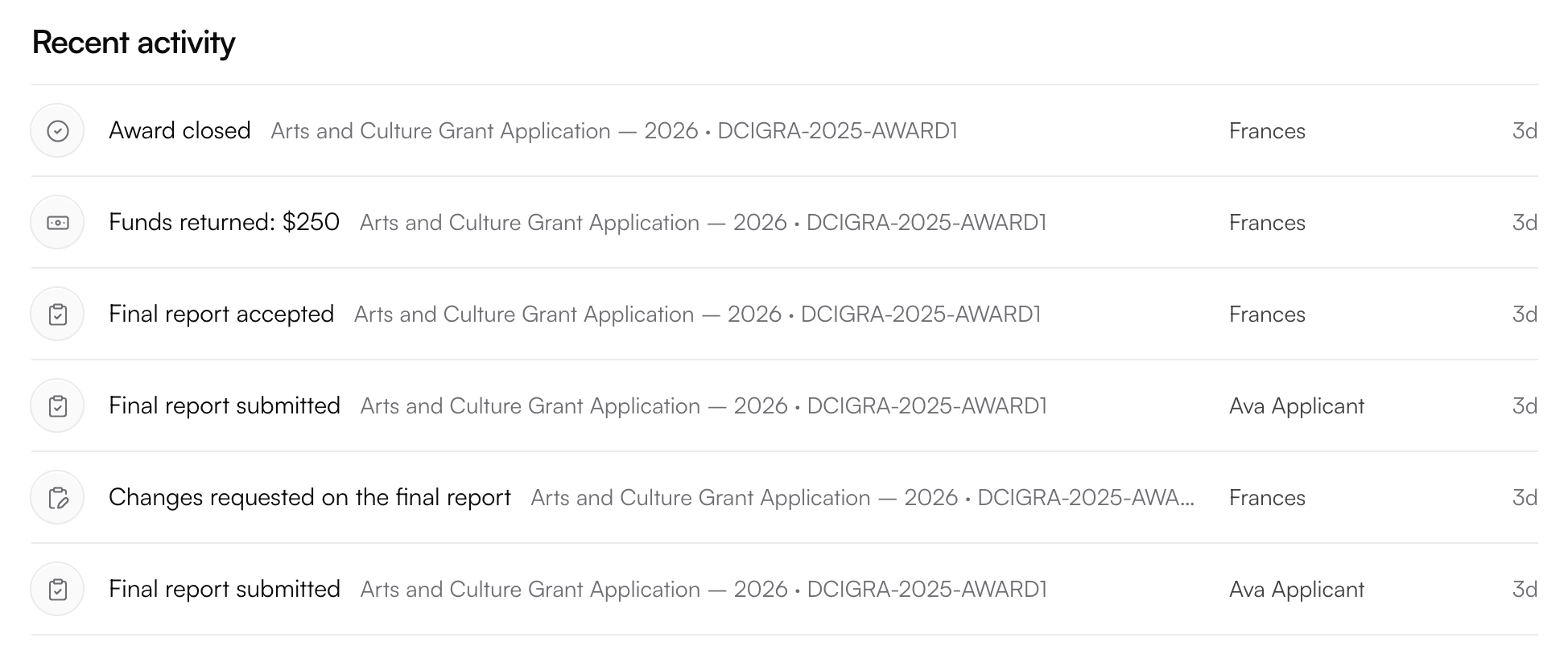
Granted recent activity: an award closed, funds returned, a final report accepted, final reports submitted and changes requested on a final report
Grantee reports · New

Reports that arrive on schedule.

Each round has its own reporting schedule. Grantees file reports from their portal, and your staff review them in the same place they reviewed the application.

  • A schedule per roundOne to six interim or final reports per round, each due a set number of months after the first payment.
  • What was delivered, and what it costGrantees report what the grant delivered, where, who was served, outcomes against the original request and itemized spending, plus unspent funds in the final report.
  • Evidence attachedUp to 20 attachments per report, such as receipts and photos, and every report is signed electronically.
  • Accept, ask for changes or waiveStaff decide on each report, with a note the grantee sees, and the grantee is emailed at every step.
Organizations and outreach

Know every organization you fund.

Granted groups every application by organization, across contacts and years, so each one has a complete funding history, and you can reach the right ones before a round opens.

  • A directory that builds itselfApplications are matched to organizations by EIN or legal name, including awards from before the portal.
  • Invite to applyChoose organizations, write a message and send. The email carries the round’s details and an apply button, and organizations that already applied are skipped.
  • Special grantsSend one organization a private, single-use application link with its own deadline, and see whether it’s waiting, applied, expired or turned off.
  • Search, filter and exportFilter and search the directory, and export organizations or applications to CSV.
Team, alerts and help

Everyone in the loop, nobody in the weeds.

Email and in-app alerts keep staff, board members and applicants up to date, and help is built in when someone gets stuck.

  • Email at every stepConfirmations, status changes, decisions, new rounds, invitations, vote reminders and report updates, each carrying your logo.
  • Alerts each person controlsTeam members switch each type of alert on or off for themselves, and a notifications bell collects them in the app.
  • A team you approveStaff and board members join through a private link sent to addresses an admin has approved. Deactivating someone locks them out at once and keeps their history.
  • Help in the appA support chat reaches our team first. If no one replies within a minute, an assistant answers from your own records, read-only and limited to what you’re allowed to see.
Everything included

Every capability, in one list.

The complete feature list for Granted, grouped so you can find what you’re looking for.

Funding rounds

  • Overview, maximum award and funding pool per round
  • Open and close dates with a public countdown
  • Public grants page with past programs
  • “Email me when it opens” alerts
  • Program preview before a round opens
  • Past awards imported from spreadsheets

Applications

  • No account needed to start
  • Save and finish later
  • Returning applicants prefilled
  • Requests checked against the round’s cap
  • PDF, PNG and JPG uploads to private storage
  • Electronic signature on every submission and edit
  • Confirmation email with a full copy

Applicant portal

  • Status and full status history
  • Edit until the deadline
  • Add and remove documents
  • Password sign-in and reset
  • Guided tour on first visit
  • Payments and reports on the award

Review and voting

  • Review desk with queue, search and filters
  • 1 to 5 score, fund or deny, amount and assessment
  • Votes hidden until you cast yours
  • Consensus view and internal notes
  • Weekly vote reminders
  • One-click PDF board packet

Decisions

  • Majority recommendation, never automatic approval
  • “Ready for final action” email with the tally
  • Amount prefilled from the board’s votes
  • Applicants emailed with the outcome
  • Amount changes announced and logged

Awards and payments

  • Seven award stages
  • Governing-body approval for several awards at once
  • Payments by check, ACH or other method
  • No payment before approval or above the award
  • Mistakes voided with a reason, never deleted
  • Unspent funds, close-out and reopening

Grantee reports

  • Interim and final reports
  • One to six reports per round
  • Itemized spending and outcomes
  • Up to 20 attachments per report
  • Signed electronically
  • Accept, request changes or waive

Organizations and outreach

  • Directory grouped by EIN or legal name
  • Full funding history per organization
  • Invite to apply by email
  • Private, single-use special grant links
  • CSV export

Records and exports

  • Activity log written by the database
  • Full status history on every application
  • Signature record with time, IP and fingerprint
  • Applications CSV with filters
  • Per-application PDF packet
  • Your logo on the portal and emails
Who uses it

Built for everyone who touches a grant.

Program staff

Set up rounds, invite applicants, confirm decisions, record approvals and payments, review reports, close awards and export what you need.

Board and committee members

Review from one desk, score and vote with a written assessment, keep internal notes and pull a board packet for any application.

Applicants and grantees

Apply from a public page, follow their application, edit until the deadline, then see payments and file reports on their award.

Security

Records you can stand behind.

Access enforced by the database

Row-level rules decide what each person can read. Applicants see only their own records, and visitors who aren’t signed in can’t read any application data.

Vote secrecy that holds

Board votes stay hidden until you vote, and applicants see “Under review” until a decision is made. Both are enforced in the database itself.

Private document storage

Files go straight to private storage and are re-checked for type and size. Each view uses a fresh link that expires shortly after.

Signatures you can prove

Every signature records the signer, organization, time, IP address, browser, the exact consent wording and a fingerprint of what was signed.

A log nobody can edit

Status changes, votes, payments and reports are written to the activity log by the database itself. Records aren’t deleted; payments are voided with a reason.

Hardened by default

Rate limits on submissions and sign-in emails, strict security headers, and a role check on every page and action.

Pricing

Granted pricing. No surprises.

One annual subscription with everything included: the full product, setup around your programs, migration of your past awards and records, training for staff and board, and ongoing support.

Annual subscription

From $18,000 per year

Everything in Granted for your grant programs, set up, migrated and supported by our team.

  • Every Granted feature: rounds, applications, board review and voting, decisions, awards, payments and reports
  • Setup around your programs, application form and board rules
  • Migration of your past awards and records
  • Training for staff and board members
  • Ongoing support from a dedicated team

This is the starting price. Your quote depends on how many programs you run and the size of your team, with no hidden fees.

Prices as of October 2026.

White-glove service

Tailored to your team. Supported by ours.

Every organization is different, so we personalize Pursuit and Granted to yours. A dedicated Mijane team sets everything up around how you already work, then stays with you long after launch.

Personalized setup

We configure Pursuit and Granted around your programs: your fields, approval steps, budgets and reports. Never a one-size-fits-all template.

Hands-on onboarding

We walk your team through the platform with live training built around your own grants, so everyone is confident from day one.

A dedicated team

You work with people who know your organization by name, not a ticket queue.

Tailored as you grow

As your programs change, we keep adjusting your setup so the software always fits the way you work.

Share it with your team.

Granted and Pursuit in three pages, with how we set them up and support them.

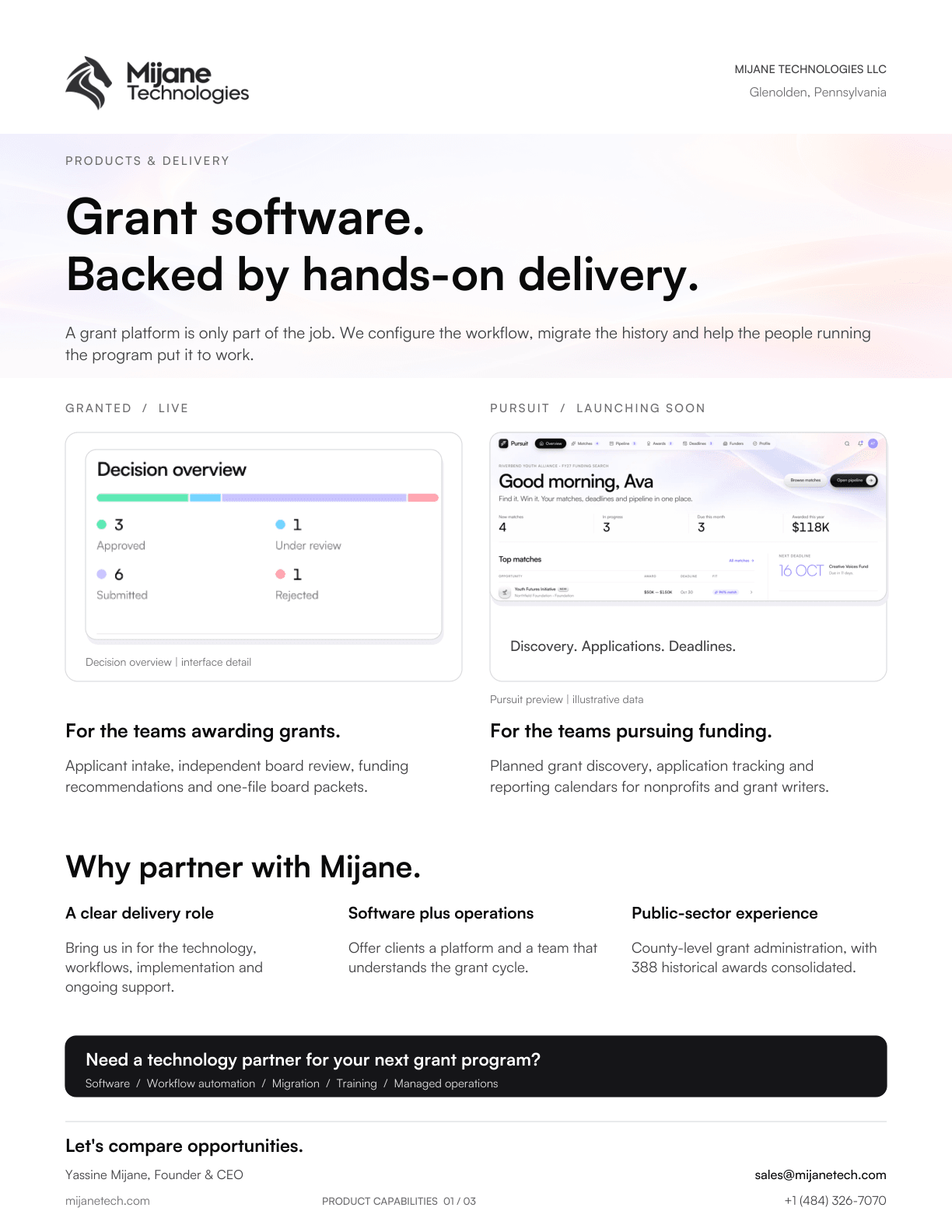
Cover page of the Mijane Technologies product brochure: Grant software. Backed by hands-on delivery.
PDF · 3 pages · 3.2 MB

Product brochure

Granted and Pursuit, what each one does and how we deliver them: board packets, independent reviews, decision records, funding discovery and reporting calendars.

FAQ

Questions about Granted.

Who is Granted for?

Organizations that award grants through an application process: public authorities and agencies, community foundations, and boards and committees that decide on funding. If your organization applies for grants, Pursuit is the product for you.

Is Granted a good fit for a small county grant authority?

Yes. Granted runs grant administration for a Pennsylvania county grant authority: applicant intake, board review and voting, decision records, board reporting and managed operations, with 388 historical awards consolidated into one record.

Can board members see each other’s votes?

Only after they’ve cast their own. Until then, other members’ reviews and tallies are hidden, and that rule is enforced by the database rather than just hidden on screen.

Can you respond to our RFP?

Yes. We bid on grant management and grant administration RFPs directly, or join a team as the technology and grant-systems partner for software, automation, migration, training and operational support.

How much does Granted cost?

Granted starts at $18,000 per year, with setup, data migration, training and support included. Your quote depends on how many programs you run and the size of your team, with no hidden fees.

All 31 questions about Granted

See Granted with your own grants.

Book a demo and we’ll walk you through Granted, set up around the programs you run today.